CGM Application, Placement and Adhesion Troubleshooting to Make Sure You Have a Secure Fit
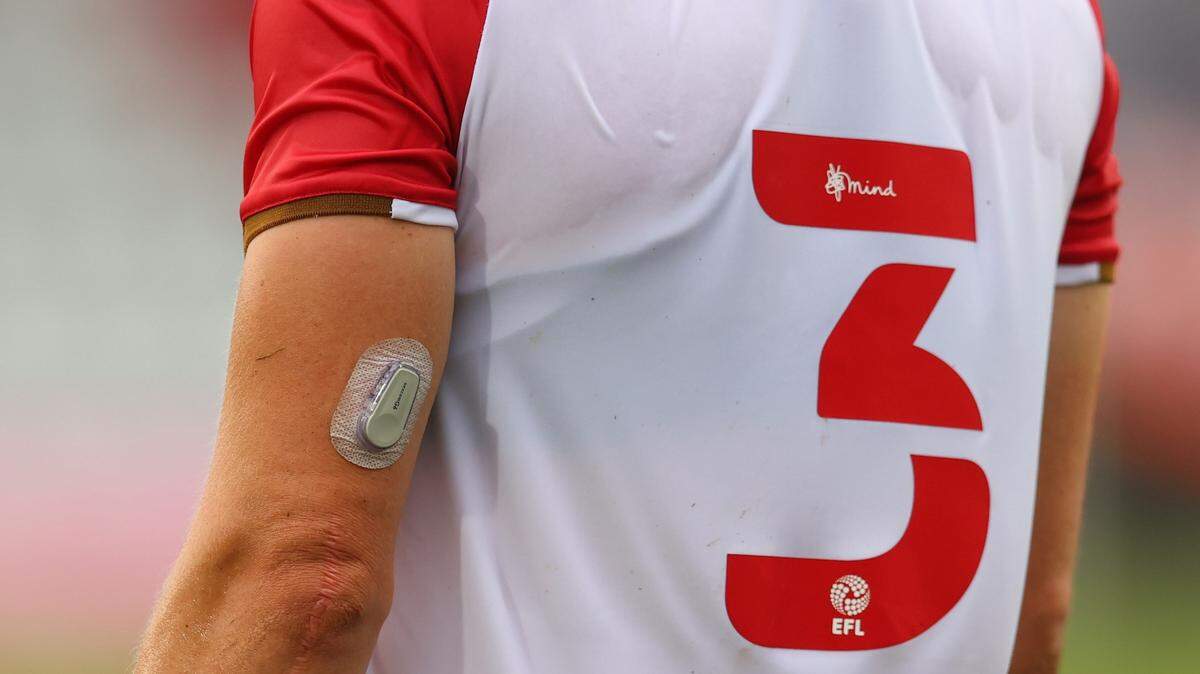
A continuous glucose monitor only helps if it stays put — and for the millions of people relying on a CGM to track blood sugar in real time, a sensor that peels off early means lost data, wasted devices and frustration. Whether you’re new to wearable diabetes tech or troubleshooting a sensor that keeps sliding off in the summer heat, small changes in prep, placement and aftercare can make a real difference in how long your device lasts.
Here’s what manufacturers, the American Diabetes Association and the CDC say about getting the most out of every sensor.
Where to Place a CGM on Your Body
Placement is the foundation of a good CGM experience. The most common sites are the back of the upper arm, the abdomen and the buttocks — areas with enough subcutaneous tissue to support the sensor filament and enough flat skin for the adhesive to grip. Choosing the right spot matters as much as how you stick it down.
“Sensor placement is important. Look for a location where you are less likely to bump the sensor and you are minimizing the bending of skin under the sensor,” Smiles Medical Supply advises. Spots that flex constantly — like near a waistband or where a backpack strap rides — are more likely to lift the edges of the patch over time.
Prepping Your Skin Before Applying CGM
Clean, dry skin is non-negotiable when applying a CGM.
“Make sure the site is clean, dry and free of lotions or oils before inserting your sensor. Moisture is the enemy of good adhesion!” Dexcom advises. Lingo echoes that point: “Let your skin fully dry in the air – especially if you’re applying a CGM after a shower or swim.” The company recommends cleaning the site with an alcohol wipe “to help prevent any irritations or infections.”
If you’re swapping out an older device, give the area a reset first. “Remove any adhesive residue from previous sensors. Consider using a skin-safe adhesive remover like Uni-solve, Detachol or Tac Away to start fresh,” Dexcom says.
The CDC offers similar guidance: “Before applying the CGM, wash your hands and the sensor site with soap and water, and let them dry completely. Lotion or moisturized soap often makes it hard for your CGM to stick to your skin. Inserting the CGM may feel like a quick pinch, similar to a fingerstick, but most people don’t feel it once it’s in place.”
CGM Application Tips for a Secure Fit
Most modern sensors are designed to be straightforward to apply, but how you press the device down in the first few seconds shapes how well it stays on for days. These CGM application tips focus on what to do right after the sensor goes in.
“Most CGMs come with an easy-to-use applicator you push down on the site until the biosensor attaches in place. This process inserts a sensor filament less than 0.4 millimeters (mm) in diameter, 5 mm under the surface of the skin to measure glucose in your interstitial fluid. The CGM stays on the skin with an adhesive and connects to your phone or receiver wirelessly, allowing it to be used with no charge,” Lingo explains.
After placement, don’t just walk away. “Once you have placed your CGM onto your skin, use gentle pressure around the edges of the device to ensure a secure fit. This will help keep it in place longer and reduce any irritation caused by movement of the device against your skin,” Smiles Medical Supply says.
The ADA notes that for most users, the device itself is unobtrusive: “The sensor, which is about the size of two stacked quarters, is painless to apply, comfortable to wear and easy to use. And you can scan the transmitter through your clothes, a real benefit when you want to be discreet.”
For more information: Choosing Between Stelo, Lingo and Levels for Diabetes: Everything to Know About OTC CGMs
How to Keep a CGM From Falling Off in Water, Heat and Travel
Showers, pools, sweaty workouts and air travel are some of the most common adhesion-killers. The CDC’s guidance covers most of the everyday scenarios CGM users worry about — and points to a simple fix for humid weather or active lifestyles.
“Most CGMs are water-resistant, and some are fully waterproof. You can use an extra adhesive patch over your CGM to protect it while bathing or swimming. Adhesive patches can also help secure your CGM in humid weather or if you frequently bump it,” the CDC says.
Travel comes with its own considerations. “Certain medical procedures like X-rays, CT scans, angiograms and radiation therapy can damage a CGM. If you’re traveling through airport security, your CGM won’t set off a metal detector, but it can be damaged from a full body scan or if your bag is scanned. Be sure to let the TSA agent know if you’re traveling with a CGM,” the CDC adds.
Adhesive Patches and Removers Worth Knowing About
Several brands sell over-patches and skin-safe removers designed specifically for CGMs and insulin pumps. The ADA maintains a list of patches and removers currently on the market for users looking to extend wear time or reduce skin irritation between sensors.
“Adhesive removers (wipes, sprays or solutions) dissolve strong medical-grade adhesives on CGMs and insulin pump patches, easing removal, reducing pain, preventing skin irritation, and clearing residue buildup,” the site explains.
Always follow your CGM manufacturer’s instructions — they’ll specify which over-patches and removers are compatible with your specific device.
This article was created by content specialists using various tools, including AI.